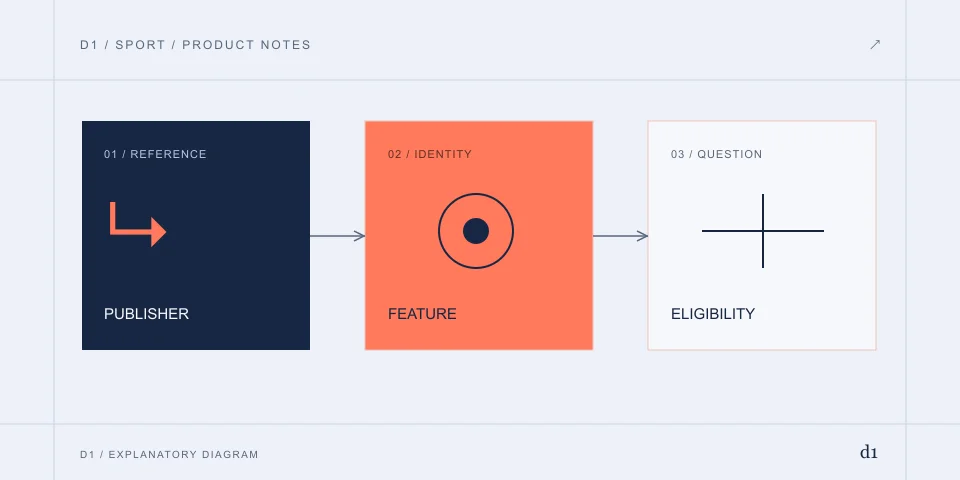
Read the documents in date order
The reference archive retains a 27 August 2026 announcement about a move beyond pure fantasy and the discontinuation of prizes. Later terms discuss free leagues; store descriptions retain some rewards wording. These statements refer to different surfaces and dates.
When to use this route
You need to interpret a product-change statement.
What to do, in order
- Keep the publisher document, effective or observation date and specific feature together.
- Compare the retained announcement, later terms and store wording in date order.
- Ask the provider about the particular unresolved feature or profile rather than assuming every label is currently available.
How to recognise the result
The statement is attributed to a date and feature, with current uncertainty recorded.
If it does not resolve
- An old reward phrase is not a verified restart date.
For the publisher and product boundary, read Dream11
A reward badge cannot reopen a former cash product
A store category or promotional phrase is too broad to identify entry fees, eligibility, cash conversion or withdrawal. Look for the specific programme terms and their effective date. If those are absent, the claim remains unresolved.
When to use this route
You are checking a return, prize or cash-availability claim.
What to do, in order
- Locate a dated publisher statement for that specific activity.
- Read the applicable eligibility, entry and reward terms rather than a store category alone.
- If no supporting statement exists, keep the claim unverified and do not rely on a similarly named app.
How to recognise the result
There is an attributable statement or an explicit unresolved claim.
If it does not resolve
- Suggestions and rumours do not establish a return date or payout feature.
Older software and an older service are different things
An APK can retain old interface text while the server uses newer account rules. Reverting the client does not establish restoration of contests, prizes or balances. It can also introduce a package or signing mismatch.
When to use this route
You are considering an older APK to recover a removed feature.
What to do, in order
- Record the installed product and the precise missing feature.
- Separate release identity from the provider’s dated service rules.
- Use the relevant app or account-support procedure for the observed failure.
How to recognise the result
The failure is assigned to the correct release, service or account layer.
If it does not resolve
- Replacing a client cannot prove restoration of former contests or wallet rules.
Build the record for a past wallet question
Start with the original account, date, merchant, amount, currency and transaction reference. Distinguish money deposited under earlier terms from a more recent store-billed purchase. The contact and evidence route may differ.
When to use this route
You have an older wallet record or charge and need to identify what is still owed or under review.
What to do, in order
- Keep account, merchant, date, currency and each transaction reference once. Separate an earlier wallet entry from an Apple or Play purchase.
- Ask the provider which contract and historical ledger hold the movement, and preserve its answer.
- For a declared refund, obtain the refund reference and reconcile it against the original payment channel.
How to recognise the result
The original movement has a corresponding refund or a documented outstanding state.
If it does not resolve
- A later app version does not prove restoration of a former prize system.
- A visible DreamBucks balance is not proof of rupee conversion or a withdrawal function.
If the old balance is restricted by an identity request, use Dream11 verification and KYC
Stop renewal and request a refund separately
For a subscription, identify the billing channel and next renewal. Uninstalling the app does not demonstrate cancellation. A request to stop future billing and a request to return a settled charge have different outcomes.
When to use this route
You need to stop future billing or investigate an already settled purchase.
What to do, in order
- Identify the merchant and billing channel from the receipt, rather than from the app icon alone.
- Use that channel’s current cancellation route and preserve its acknowledgement and effective date.
- For a settled charge, request the specific refund separately and retain its decision or refund reference.
How to recognise the result
The billing channel confirms renewal stopped; a refund is complete only when the original payment channel records it.
If it does not resolve
- Uninstalling does not cancel a subscription.
- A support request received is not a refund approved.
Account continuity still needs its own evidence
An old number, a changed SIM or a closed profile can prevent access to the history needed above. Use recovery for the original profile rather than assuming a new registration will inherit it. If the product changed, ask which service and contract now holds the record.
When to use this route
You cannot reach the original history needed for an older funds question.
What to do, in order
- Identify the original provider, profile and registered contact.
- If that contact is unavailable, use the lost-number recovery procedure before creating another profile.
- After continuity is confirmed, relate each historical movement to that same profile.
How to recognise the result
The original profile and the disputed movement can be linked.
If it does not resolve
- A new registration under a similar name does not inherit the old ledger.
Lost-number and account-recovery questions
For the event record behind a points question: Cricbuzz live score
READ THE SOURCE / CHECK THE DATE
Documents & references
Dates below belong to the historical references. The writing date does not represent a new account or file test.
- Dream11 official terms2026-10-31 · www.dream11.com
- Dream11 official public terms content2026-10-31 · d13ir53smqqeyp.cloudfront.net
- Dream Sports Dream11 product pivot 2026-08-272026-10-31 · www.dreamsports.group
- Google Play — Dream11: Sports Watch Along2026-10-31 · play.google.com
- App Store India — Dream11: Watch. Play. Compete2026-10-31 · apps.apple.com
- Dream11 — Helpdesk and Profile & Verification help2026-10-31 · www.dream11.com
More on Dream11
D1 is an independent information publisher. Product providers handle their own accounts, files and transactions. How we write →